TABLE OF CONTENTS
The Data Blind Spot | Differentiating the “Source” Properties | Use Case for Record Source | Property Value List
If you’re investing in HubSpot, you want the highest return on your investment possible. When you overlook key features, you’re leaving efficiency, insight, and revenue on the table — and one of the most overlooked? Record Source.
The Data Blind Spot
If you’ve spent time inside HubSpot CRM, you already know the usual suspects: Original Source and Latest Source. They’re referenced in attribution reports and familiar to most marketing teams. But relying on them alone creates a quiet data blind spot that can undermine your automation, reporting, and trust in your CRM.
That’s where Record Source comes in. Often overlooked, Record Source tells you how the record itself was created, either by a human, an import, an integration, or an automation. The distinction matters more than most teams realize.
Differentiating the “Source” Properties
Record Source is often misunderstood because it gets lumped into the same mental bucket as Original Source and Latest Source. They sound similar, live near each other in your property list, and all use the word “source.”
But they answer completely different questions, and understanding that difference is where the real power lies.
Original Source and Latest Source: The Marketing View
In HubSpot, Original Source and Latest Source track a contact’s interaction history with your business. These properties focus on how someone found you: organic search, paid social, email marketing, referrals, and so on.
Their primary purpose is marketing attribution. They help teams understand which channels are driving traffic, leads, and revenue. They’re essential for measuring campaign ROI and mapping the buyer journey over time.
The question they answer: “Where did this person come from?”
Record Source: The Operations View
Record Source answers a completely different (and arguably more operationally critical) question:
“How did this record come into existence inside the CRM?”
Record Source applies to contacts, companies, and deals. It tracks the method of creation rather than the marketing touchpoint.
Here’s where it gets interesting: A lead may have originally found you through Google (Original Source: Organic Search), but the actual contact record might have been created later through a manual CSV import (Record Source: Import).
This distinction is critical. Record Source tells you whether a record was created by:
- A human manually adding it in the CRM
- An automation or workflow
- A form submission
- A meeting booking
- A third-party integration
- A bulk import action
Record Source tells the truth about your data. This insight is what makes it such a powerful property for operations, sales enablement, and data integrity.
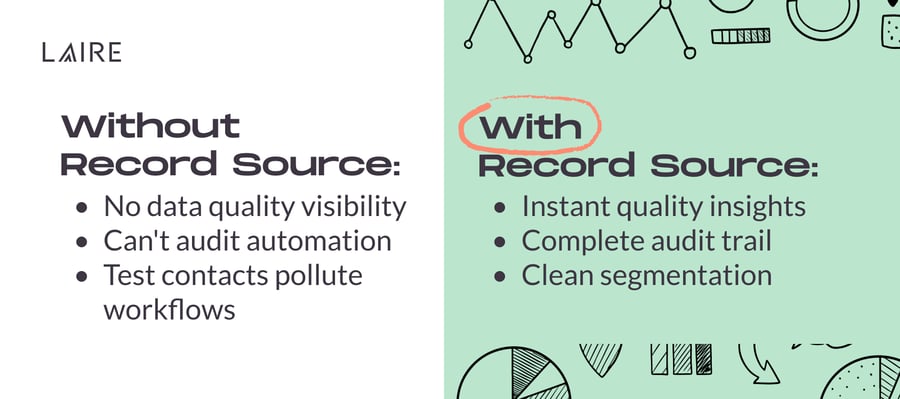
The Underrated Power: Use Cases for Record Source
Once you stop thinking of Record Source as “just another property” and start using it as a diagnostic tool, its value becomes clear.
Record Source translates raw CRM activity into actionable insight for multiple teams, especially helpful when your portal has grown complex with imports, automations, and integrations layered over time. Let’s look at four use cases.
For Data Integrity & CRM Health (CRM Managers)
Use Case: Identifying “Zombie” or Low-Quality Data
Over time, CRMs naturally accumulate records that look legitimate on the surface but lack meaningful engagement. These often come from batch updates, scoring rules, or system-driven processes that create records without human interaction.
Actionable Insight
By filtering records where Record Source equals Import, CRM UI, or Bulk Action, CRM managers can quickly audit newly added data. This is especially powerful after a cleanup project or migration. It allows you to validate ownership, lifecycle stage alignment, and data completeness before issues cascade into reporting and automation.
For Sales Enablement & Process (Sales Teams)
Use Case: Prioritizing & Segmenting High-Intent Leads
Not all “new” leads deserve the same level of attention. A contact created because someone booked a meeting or submitted a form signals a different intent than one created via a sync or enrichment process.
Actionable Insight
Sales teams can build views or reports that highlight records created by Forms, Meetings, or Sequences, separating actively engaged prospects from records created by Integrations, Salesforce, or Sync Property. This lets reps focus on leads with demonstrated intent instead of chasing noise.
For Marketing Automation & Testing (Marketing Teams)
Use Case: Protecting Campaign Performance & Test Accuracy
Test contacts and internal records have a way of sneaking into workflows and skewing results, especially in larger portals with multiple users.
Actionable Insight
Exclude contacts where Record Source equals CRM UI or CRM UI Bulk Action from live nurturing workflows. This ensures your automation performance, A/B tests, and engagement metrics reflect real, external behavior.
For Tracking Cross-Hub Activity (Ops Teams)
Use Case: Understanding Which Tools & Hubs Are Creating Records
As organizations adopt more of HubSpot’s ecosystem, it becomes harder to tell which tools are driving record creation behind the scenes.
Actionable Insight
Filtering by Record Source values helps operations teams trace record creation back to Sales Hub and Service Hub activity. This visibility is critical for diagnosing sync issues, evaluating tool adoption, and ensuring each hub is contributing value without polluting the CRM.
Used intentionally, Record Source explains why data exists in your CRM. And that clarity enables smarter decisions across teams.
Hidden Gems from the Full Value List
At first, the Record Source property may look overwhelming. The value list is long, detailed, and easy to ignore if you’re not sure what you’re looking for.
But that depth is exactly what makes it so powerful. Each value represents a specific system behavior, offering visibility into how records are being created across your entire portal.
Here are a few of the most useful and often overlooked values:
- HubSpot AI: When Record Source is set to HubSpot AI, it indicates that machine learning or AI-driven processes played a role in creating records. As AI tools become more embedded across workflows, this value helps teams track where automation is generating data behind the scenes. This value scores extra points for monitoring adoption and ensuring AI-created records meet your quality standards.
- Bot Chatflow/Conversations: Records created through Bot Chatflow or Conversations signal direct, real-time engagement. These contacts are often high intent, created during live interactions on your website. Tracking this Record Source allows teams to quantify how chat experiences contribute to the pipeline and ensures these leads are routed and prioritized appropriately.
- Integration/Salesforce: If you’re syncing data from external systems, Record Source values like Integration or Salesforce are critical for diagnosing issues. A sudden spike in records from these sources may indicate duplicate creation, mapping errors, or sync misconfigurations. Left unchecked, these problems can erode data trust.
- Restore Tool (Recycling Bin): One of the most underrated values on the list, the Restore Tool immediately tells you which records were previously deleted and later brought back. This makes it the fastest way to audit reversals after accidental deletions and understand how restored data re-enters your CRM ecosystem.
Taken together, these values turn Record Source into more than a technical detail. They provide a living audit trail that helps you understand what exists in your CRM, how it got there, and whether it belongs.

Take Record Source from “Underused” to Your Go-To CRM Auditor
Record Source shows you how your data was born and whether it entered your CRM in a trustworthy way. When used intentionally, this single property becomes an internal auditor that quietly validates your data’s health, your automations’ effectiveness, and the impact of the tools connected to your portal.
For CRM managers, it brings clarity to cleanup efforts. For sales teams, it sharpens prioritization. For marketers, it protects campaign performance. And for operations teams, it reveals exactly how activity across hubs and integrations shapes your database.
That’s real ROI, creating better decisions powered by cleaner, more transparent data.
Your next step should be adding the Record Source property as a column in your default Contact and Company views. Then, build a basic report to see how records are being created in your portal. The insights may surprise you.
If you’re ready to go deeper, our HubSpot Portal Assessment can help uncover hidden inefficiencies, automation risks, and data gaps, so every feature you’re paying for works harder for your business.